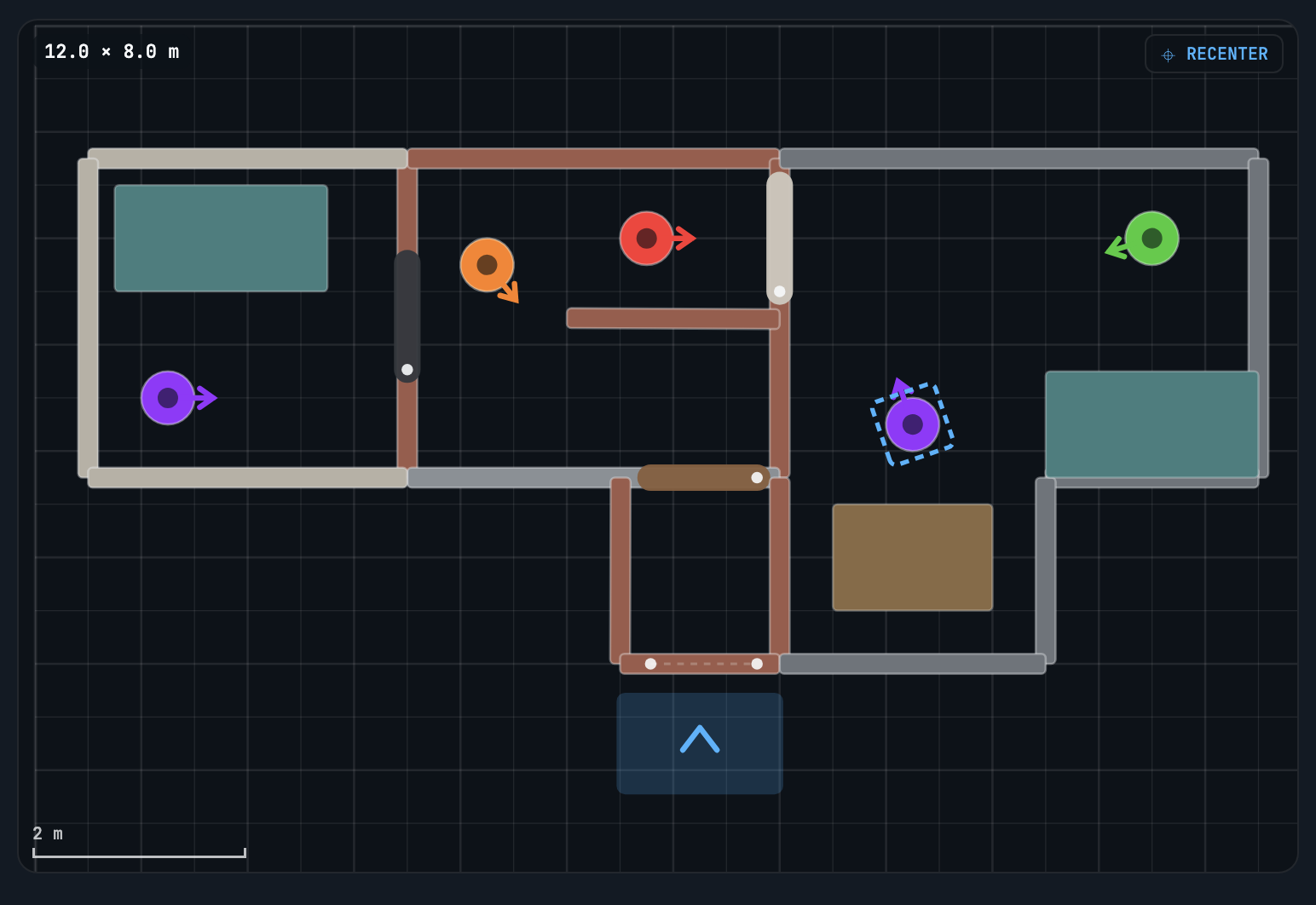
Design a room on your computer with a full mouse-and-keyboard floorplan editor, push it straight to a headset running Build and Breach, and watch it get cleared live.
Free to download. No account, no licence key, and no subscription. The Builder is included with Build and Breach at no cost. Current release: version 1.0.9.
Laying out a structure is faster with a mouse than with controllers. The Builder gives you a top-down editor on the desktop, so instructors can prepare scenarios ahead of a session instead of building them inside the headset.
Set the room size in metres, then lay down walls, doors, and furniture on a scaled grid. Tap to select, drag to move, shift-drag to rotate.
Place hostile and non-hostile targets, set each one's facing, and assign a behavior — hostile, compliant, afraid, compliant-turned-hostile, or random.
Put a headset into Builder Mode and push a room straight to it over the local relay. No file transfers, no cables — then watch the run from the desktop.
The Builder runs entirely on your computer and talks to your headsets over your own local network. Nothing is uploaded, and no Sentari account is required.
Open the download and drag the Builder into your Applications folder. Both macOS and Windows block the first launch — see .
Set the room size, lay down walls, doors, and furniture, then drop in targets and set each one's behavior. Save it to your room library to duplicate or revise later.
Put your Quest into Builder Mode and push the room to it. The structure appears anchored in your real space, ready to be cleared.
Follow the run in real time from the desktop, on the same floorplan you built — movement through the structure and every engagement as it happens.
Play the run back for after-action review, then export your house runs to CSV to compare shooters and track progress across sessions.
The Builder is not just a level editor. Once a room is pushed, the desktop becomes the instructor's window into the run — live as it happens, and again afterwards.
Watch the house get cleared in real time on the same floorplan you built. Follow movement through the structure and every engagement as it happens, without crowding the training space.
Every run is saved and can be played back for after-action review. Step through a completed clear to talk through decisions, angles, and timing with the team.
Export all of your house runs to a single CSV file and open it in any spreadsheet. Track progress across sessions, compare shooters, and keep records in whatever system you already use.
Your data stays yours. Runs and replays are stored locally — on the headset and on the computer running the Builder. There is no account and no cloud backend, so nothing leaves your network unless you export it yourself. See the privacy policy for the full detail.
Questions about the Builder, layout files, or getting scenarios onto your headsets — reach out and we will walk you through it.
Build & Breach Builder — Version 1.0.9 · Free · © 2026 Sentari VR Systems